Welcome
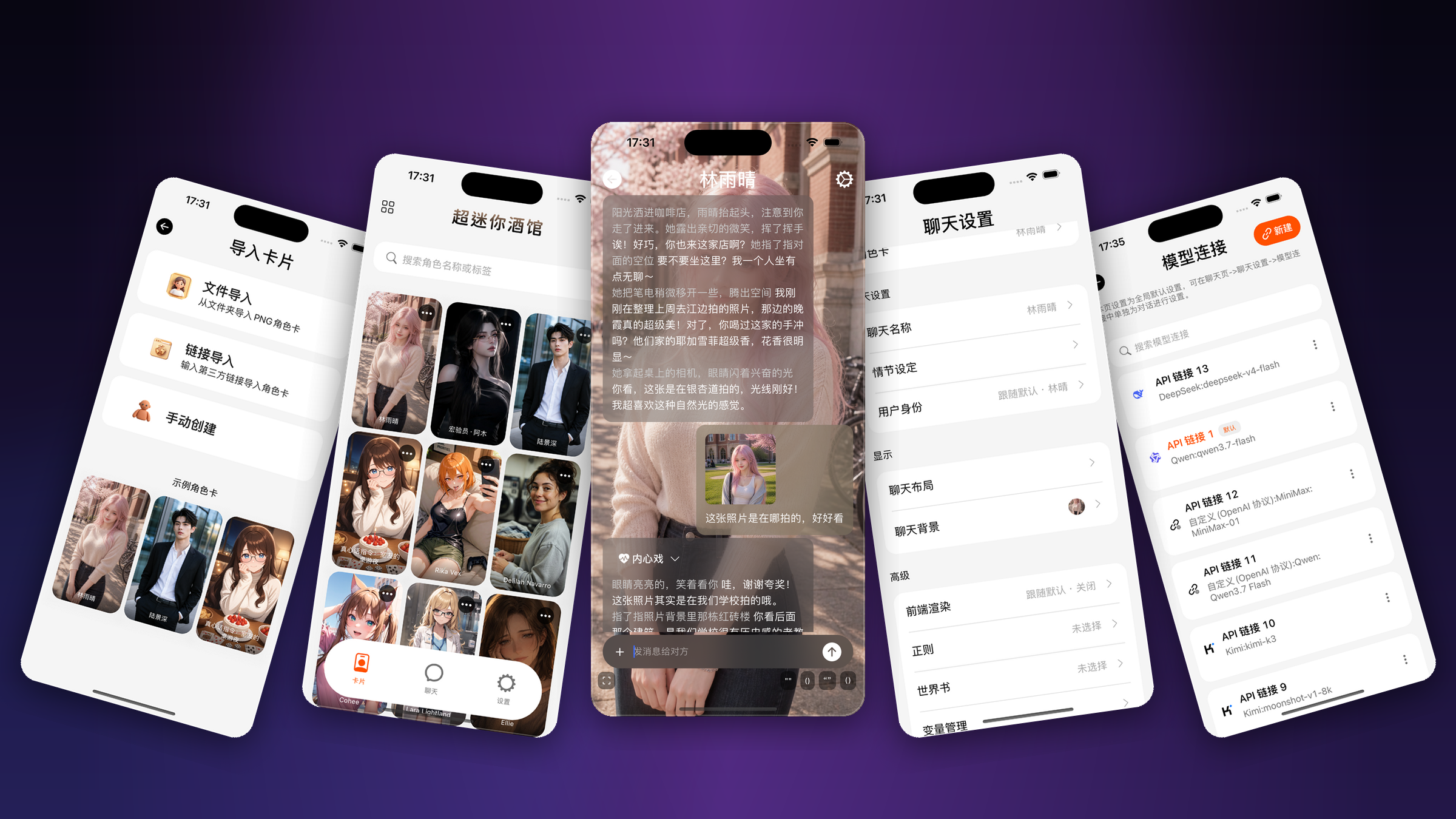
About the app
MiniTavern Ultra is an AI roleplay chat app.
Create a companion. Play your story. — one sentence builds a card, or bring in a v2 / v3 card.
Connect GPT, Claude, OpenRouter, or a local model at home. Keys stay on the phone, and chats stay on the device first.
What you can do
One sentence, or a v2 / v3 card
Describe who you want. Preview the name, persona, and greeting, then chat. See Create with AI. PNG / JSON follow mainstream character card v2 and v3 — Character cards.GPT, Claude, OpenRouter, or local
Bring your own key, or connect Ollama / LM Studio. Keys stay in on-device secure storage. See Model link. Free tiers: Free cloud APIs. On your PC: Run local models.Lorebook, regex, presets — create or import
Lorebook holds the setting, regex shapes what you see, presets swap a whole prompt layout. Write them, or import files you already have. Sampling stays in model settings.Immersive chat: see, recognize, reply with pictures
Photos you send can be read, and the people in them recognized. Characters can reply with a picture that follows the scene. See Chat.Backup and chat archives
A full backup moves characters, chats, lorebooks, and regex — you choose whether keys are included. A chat archive can merge into an old thread or open as a new one.
Why MiniTavern
- Cards are fast: one sentence, or import v2 / v3
- Your model: GPT, Claude, OpenRouter, or local — keys stay on device
- Long-arc tools: lorebook, regex, presets, and persona — create or import
- The chat can see: photos, people, and picture replies
- Each chat, its own setup: model, preset, lorebook, regex, and image gen
- Take it with you: full backup and per-chat archives
Quick start
- Configure a model: Settings → Model link → New, Test, set as default.
- Import or create a character: Characters → Import or create.
- Start chatting: open a chat from the character — companion mode or in-character play, your choice.
More detail: Getting started. Local deploy: overview · language-model quickstart · image gen. Free quotas: Free cloud APIs.
Handbook entry points
| Section | Description |
|---|---|
| Manual home | Suggested reading order and overview |
| Models | Links, parameters, Test, and troubleshooting |
| Free cloud APIs | Vendor free tiers and how to fill Keys |
| Run local models | Local language / image deploy |
| Characters · Create with AI | Import, edit, start chats, generate from a description |
| Chat · Bubbles and input | Conversation, appearance, session settings |
| Advanced · Presets | Lorebook, regex, persona, presets |
In the app: Settings → Help & feedback → User Manual.
FAQ (short)
Q: What is MiniTavern Ultra?
A: An AI roleplay chat app. Build a card in one sentence or import v2 / v3; chat with GPT, Claude, OpenRouter, or a local model. Keys and chats stay on the device first.
Q: Is my data uploaded to your servers?
A: Chats, characters, and keys stay on-device by default; model calls go to the third-party or local address you configure. See Privacy.
Q: Can I play without an API?
A: You need a cloud Key, or follow Run local models to host on a PC then connect the phone. Common free quotas: Free cloud APIs; local image gen: Image model deploy.
Download and policies
- Top bar Download MiniTavern · Product site
- Privacy · Terms